Blogs

IPTV Solutions for Business The Definitive 2026 Guide
Blogs

IPTV Solutions for Business: The Definitive 2026 Guide to Hotel Systems, Platform Models & Commercial Deployment

IPTV Solutions for Business: The Definitive 2026 Guide to Hotel Systems, Platform Models & Commercial Deployment Internet Protocol Television has moved well beyond the living room. In 2026, IPTV solutions for business represent one of the most commercially compelling technology investments available to operators across hospitality, healthcare, retail, education, and digital media. Whether you are a hotel operator seeking to modernise an ageing cable infrastructure, an entrepreneur building an IPTV subscription platform from the ground up, or a business exploring how to start an IPTV service that generates recurring revenue, understanding the full landscape of commercial IPTV deployment is essential. This guide covers the three primary domains of business IPTV: the hotel IPTV system — the most widely deployed commercial application — the IPTV platform business model for entrepreneurs launching subscription services, and the practical steps involved in building a scalable IPTV operation. Throughout, we draw on the latest industry data, deployment architectures, and monetisation strategies to provide the most authoritative resource on business IPTV available. For context on what IPTV technology encompasses at its foundation, including how IPTV services work, that foundational understanding applies equally to every commercial use case explored here. Why Businesses Are Replacing Cable with IPTV in 2026 Traditional cable and satellite television infrastructure presents a consistent set of commercial liabilities: high installation costs, separate cabling requirements, zero interactivity, inflexible channel packages, and no analytics. IPTV eliminates all of these simultaneously. By delivering television content as data packets over an IP network — the same infrastructure a business already uses for internet connectivity and Wi-Fi — IPTV fundamentally changes the economics and capabilities of in-environment television. The advantages compound across every business segment: Lower infrastructure cost: No dedicated coaxial cabling runs. IPTV utilises existing Ethernet, fibre, or GPON networks, reducing installation overhead by up to 40% in retrofit deployments. Centralised content control: All channels, on-demand content, and EPG data are managed from a single admin dashboard covering every screen across an estate. Interactive capabilities: Guest-facing menus, in-room service ordering, welcome messages, digital signage integration, and promotional content — none of which is possible with cable. Scalability: Adding screens, rooms, or locations requires no new signal infrastructure — only network access points and compatible display hardware. Analytics: IPTV platforms generate viewership data, content popularity metrics, and engagement statistics that inform both content strategy and revenue decisions. Hotel IPTV Solutions: Transforming In-Room Entertainment The hospitality sector represents the largest and most mature commercial IPTV deployment environment. Hotel operators worldwide are accelerating the replacement of analogue and satellite TV systems with modern hotel IPTV systems — driven by guest expectations that have shifted permanently toward the streaming experiences they enjoy at home. A hotel IPTV system does far more than deliver television channels. When correctly deployed, it functions as the primary guest communication and engagement interface for an entire property. Core Capabilities of a Hotel IPTV System Personalised welcome screens: Guests are greeted by name on arrival with tailored content based on their booking profile — enabled through integration with the hotel’s Property Management System (PMS). Live TV and catch-up content: Extensive international live channel packages alongside catch-up TV libraries, ensuring guests from any region can access familiar programming throughout their stay. Video on Demand: On-demand film and series libraries, including premium content partnerships, directly accessible from the in-room television interface. In-room service integration: Room service ordering, spa bookings, concierge requests, and restaurant reservations completed directly from the TV — reducing front desk load and increasing ancillary revenue. Digital information portal: Weather, local attractions, event schedules, hotel policies, and transport information presented within the IPTV interface, replacing printed materials entirely. Multi-language EPG: Electronic Programme Guides displayed in the guest’s preferred language, automatically configured based on booking data or in-room selection. Hotel IPTV Deployment Models Commercial hotel IPTV systems are available in three primary deployment architectures, each suited to different property scales and operational contexts: On-Premise: The headend server and middleware infrastructure are installed physically within the hotel. Optimal for large resorts and properties with 500 or more rooms where full on-site control and independence from external internet connectivity are priorities. Higher upfront capital cost; lower ongoing operational expense. Cloud-Based: Middleware and content delivery are managed remotely by the platform provider. Ideal for boutique properties, mid-scale hotels, and multi-property chains seeking standardised delivery without on-site server rooms. Lower initial investment with predictable monthly cost per room. Hybrid: On-premise headend hardware combined with cloud-managed middleware. Suitable for hotel groups standardising their entertainment infrastructure across properties with different sizes and legacy systems. PMS Integration and the Business Case for Hotel IPTV The commercial return on a hotel IPTV investment extends well beyond guest satisfaction scores — though the evidence on that front is compelling: properties with modern IPTV systems consistently report measurable improvements in entertainment-related satisfaction metrics on major review platforms. The deeper business case lies in PMS integration. When the hotel IPTV system communicates bidirectionally with the property management system, it enables automatic room assignment, personalised guest profiles, checkout billing for on-demand content purchases, and targeted promotional messaging. Each of these functions generates either cost savings or incremental revenue that directly impacts the property’s commercial performance. IPTV Solutions Beyond Hospitality: Healthcare, Retail, and Education While the hotel IPTV system commands the most attention in commercial deployment discussions, IPTV solutions for business extend productively into several other verticals. Healthcare IPTV Hospital and clinic IPTV deployments provide patients with entertainment, health information, and bedside service management through in-room screens. The architecture mirrors hotel IPTV closely — centralised content control, personalised welcome interfaces, and integration with patient management systems — with additional considerations for emergency broadcast capabilities and compliance with healthcare information privacy requirements. Retail and Corporate Digital Signage Retail environments, corporate offices, and public-facing commercial spaces increasingly deploy IPTV infrastructure to manage digital signage networks alongside staff entertainment or waiting area content. Centralised content scheduling, remote management across multiple locations, and the ability to mix live broadcast content with branded promotional material make IPTV the preferred architecture over standalone digital signage solutions.

IPTV Reseller Panel
Blogs

IPTV Reseller Panel: The Complete 2026 Guide to Launching and Scaling a Profitable IPTV Business

IPTV Reseller Panel: The Complete 2026 Guide to Launching and Scaling a Profitable IPTV Business The global shift away from traditional cable and satellite television has created a significant commercial opportunity for entrepreneurs willing to enter the digital streaming space. At the centre of this opportunity is the IPTV reseller panel — a web-based management platform that allows individuals and businesses to purchase IPTV subscriptions in bulk and resell them to end users at their own pricing. Whether you are taking your first steps into IPTV reselling or looking to scale an existing operation, understanding how a reseller IPTV panel functions, what to look for in a provider, and how to build sustainable recurring revenue is essential. This guide covers everything you need — from foundational concepts to the advanced features that separate profitable resellers from those who struggle to retain customers. The IPTV industry in 2026 is defined by high consumer expectations. Viewers streaming through applications like TiviMate IPTV Player or IPTV Smarters expect instant access, zero buffering, and reliable EPG data. As an IPTV reseller, the panel you choose directly determines your ability to meet those expectations. What Is an IPTV Reseller Panel? An IPTV reseller panel is a web-based control dashboard provided by a primary IPTV service provider. It grants resellers the ability to create, manage, extend, suspend, and delete end-user accounts — all without requiring any technical knowledge of streaming infrastructure, server administration, or content sourcing. In practical terms, the primary provider maintains all servers, manages content licensing relationships, and handles the technical delivery of live TV channels, Video on Demand (VOD) libraries, catch-up TV, and Electronic Programme Guide (EPG) data. The reseller purchases credits at wholesale rates and uses those credits through the panel to activate subscriptions for their own customer base. The model is straightforward: Purchase credits from the primary IPTV provider at a bulk wholesale price. Access the reseller panel dashboard to create and manage customer accounts. Set your own retail price — the margin between your wholesale cost and retail price is your profit. Deliver login credentials to customers, who then stream content via M3U playlists or the Xtream Codes API on their preferred device. Manage renewals and account extensions directly from the same dashboard. No servers to maintain. No content licensing to negotiate. No streaming infrastructure to build. The reseller panel model removes all technical barriers, allowing resellers to focus entirely on customer acquisition and retention. How the IPTV Reseller Credit System Works Credits are the operational currency of any IPTV reseller panel. Understanding how they function is essential before investing in any reseller programme. In most systems, one credit equals one month of service for one connection. A reseller purchasing 100 credits could, for example, activate 100 one-month subscriptions, 50 two-month subscriptions, or a combination of different durations according to their business model. Non-Expiring Credits vs. Expiring Credits Premium reseller panels typically offer non-expiring credits — meaning unused credits do not disappear after a set period. This is a critical advantage for resellers managing fluctuating customer demand. Panels that impose expiry on unused credits put unnecessary pressure on resellers and can lead to financial waste during low-sales periods. Credit Tiers and Profit Margins Most IPTV reseller programmes operate on tiered credit pricing. The more credits purchased in a single transaction, the lower the cost per credit. Entry-level reseller packages typically begin at modest investment levels suitable for individual sellers, while super-reseller or master-reseller tiers offer significantly reduced per-credit costs suited to high-volume business operations. Your profit margin is entirely determined by the difference between your wholesale credit cost and the retail subscription price you charge customers. This means resellers retain full pricing autonomy — one of the most commercially attractive aspects of the IPTV reseller model. Key Features to Evaluate in Any IPTV Reseller Panel Not all reseller IPTV panels are built to the same standard. The following features directly determine the operational quality and long-term viability of your reseller business. 1. Dashboard Usability and Account Management Your panel’s dashboard is the interface through which every customer interaction flows. It should allow instant account creation, one-click renewals, real-time credit balance tracking, and clear visibility into active, expiring, and expired accounts. Panels with cluttered or unintuitive interfaces slow operations, increase error rates, and create unnecessary friction — particularly as your customer base scales. 2. Server Stability and Uptime The streaming experience your customers receive depends entirely on the primary provider’s server infrastructure. Seek providers who can demonstrate genuine 99.9% or higher uptime across their server network. Critically, evaluate performance during peak hours — weekend evenings and major live sports events are when servers face maximum load and when downtime causes the most customer dissatisfaction and churn. 3. Channel Depth and Content Variety A competitive IPTV reseller catalogue in 2026 should encompass extensive live TV coverage across multiple regions and languages, a substantial VOD library of films and series, premium sports packages including live football, basketball, and combat sports, and a fully functioning EPG for structured programme navigation. Resellers targeting specific demographics — such as Arabic-speaking audiences, Latin American viewers, or UK sports fans — should verify that the primary provider’s content catalogue meets those regional requirements. 4. Multi-Device Compatibility Your customers will stream across a wide range of devices. Your reseller subscriptions must work seamlessly on Amazon Firestick, Android TV boxes, Smart TVs, MAG boxes, iOS and Android smartphones, and desktop browsers. Compatibility with major IPTV applications — including GSE Smart IPTV, Perfect Player, and XCIPTV Player — ensures your subscriptions serve the broadest possible customer base without technical friction. 5. Free Trial Generation The ability to create short-duration trial accounts directly from your reseller panel is one of the most powerful sales tools available. A prospective customer who experiences stable, high-quality streams during a free trial converts at a significantly higher rate than one who relies solely on marketing claims. Panels that allow resellers to generate trials without debiting credits are particularly valuable for customer acquisition campaigns. 6. White-Label

Best IPTV in USA 2026
Blogs

Best IPTV in USA 2026: Top Providers, Features & Complete Buying Guide

Best IPTV in USA 2026: Top Providers, Features & Complete Buying Guide Quick summary: The best IPTV providers in the USA in 2026 combine stable server infrastructure, verified 4K streaming, comprehensive US coverage (NFL, NBA, MLB, NHL, UFC), wide device compatibility, and transparent pricing — all at a fraction of what cable charges. The average American cable TV bill now exceeds $125 per month — for a service that comes bundled with channels nobody watches, long-term contracts, and equipment rental fees that never appear in the advertised price. It is no surprise that millions of households across the United States are actively searching for the best IPTV in USA as a direct replacement. Not as a workaround or a compromise — but as a genuinely superior alternative that delivers more content, better flexibility, and a dramatically lower monthly cost. IPTV — Internet Protocol Television — delivers live channels, on-demand libraries, and EPG-guided programming over your existing internet connection, to every device you already own. This guide evaluates the US IPTV market honestly in 2026: what the best providers offer, what criteria matter most, which features separate reliable services from disappointing ones, and how to find the right subscription for your household. If you are still working out how IPTV services work before committing to a provider, the fundamentals are worth understanding first. Why IPTV Is Replacing Cable TV Across the USA The shift from cable to IPTV in the United States is not a trend driven by novelty — it is driven by arithmetic. Cable packages have become structurally worse value over time: prices rise annually, contracts lock subscribers in, and the channel selection has not meaningfully expanded while streaming alternatives have exploded. IPTV inverts this model entirely. A quality IPTV subscription in the USA in 2026 costs between $10 and $25 per month. It includes thousands of live channels — US local networks, national cable channels, premium and international broadcasts — alongside a VOD library that rivals Netflix in depth. There are no contracts, no equipment, and no installation fees. The technology has also matured significantly. The buffering and instability that characterised early IPTV services are largely absent from the top-tier providers of 2026, which run on dedicated private server infrastructure with anti-freeze technology, redundant failover systems, and bandwidth allocation specifically optimised for high-traffic live events. What Makes the Best IPTV Provider in USA: 8 Criteria That Actually Matter Marketing claims in the IPTV space are easy to produce and difficult to verify from the outside. These are the criteria that actually determine the day-to-day quality of an IPTV service — and the ones to evaluate rigorously before subscribing. 1. Server Infrastructure and Peak-Hour Performance This is the single most important factor — and the one most providers’ websites avoid discussing in specifics. The real test of any IPTV service is Sunday Night Football, NBA Finals, or a UFC pay-per-view main card. These are the moments when subscriber demand spikes dramatically, and overloaded shared servers either hold or collapse. The best IPTV providers in the USA operate on private, dedicated server infrastructure with geographically distributed nodes across the US market — East Coast and West Coast servers delivering low-latency feeds to both regions simultaneously — and automatic load-balancing that shifts traffic during peak demand. This is the architecture that prevents buffering when it matters most. 2. Verified 4K Streaming Quality In 2026, “4K IPTV” appears on virtually every provider’s homepage. The reality behind that label varies enormously. Genuine 4K streaming requires a sustained bitrate of 15–25 Mbps per channel. Many providers advertising 4K deliver heavily compressed streams — technically 4K resolution in name, but indistinguishable from upscaled 1080p in practice. Test 4K streams during your free trial on a proper 4K display before committing to any long-term plan. 3. Actual Working Channel Count Channel count figures in IPTV marketing have become essentially meaningless. A provider advertising 150,000 channels may have only a fraction of those working reliably at any given time. Dead links, duplicate streams, inactive channels, and re-encoded low-quality feeds inflate headline numbers without adding value. What matters is the working count of channels you actually want — verify your ten most-watched channels during the free trial. 4. VOD Library Depth and Update Frequency A substantial on-demand library — at minimum 50,000 titles — covering current Hollywood releases, premium TV series seasons, documentaries, and international cinema Daily or weekly updates adding new content — a VOD library that hasn’t been refreshed in months is a sign of a provider not investing in their service Catch-up TV functionality covering the most recent 7 days of broadcasts on major channels 5. Device Compatibility Across All Platforms The best IPTV providers in the USA support every device US households actually use: Amazon Firestick and Fire TV, Android TV boxes, Samsung Tizen and LG webOS Smart TVs, Apple TV, iPhone and iPad, Windows and Mac computers, and MAG boxes. If you are using IPTV Smarters on Firestick or TiviMate on Android TV, confirm explicit compatibility before purchasing. 6. EPG Quality and Accuracy The Electronic Program Guide is the daily navigation layer of any live TV service. A high-quality EPG displays accurate programme information — show titles, descriptions, and timings — at least 5 days ahead for all major channels, updates automatically, and integrates cleanly with your chosen IPTV player app. An empty or inaccurate EPG degrades the live TV experience significantly. 7. Free Trial Availability Any IPTV provider worth subscribing to will offer a genuine 24–48 hour free trial before any payment is required. This is the industry standard among legitimate services — and for good reason. It is the only way to verify peak-hour performance, device compatibility, and VOD depth under your actual network conditions. Never purchase a multi-month IPTV subscription in the USA without an IPTV free trial first. Best IPTV Providers in USA 2026: Detailed Reviews 1. FlixoPlay — Best Overall IPTV Provider in USA Top pick for USA viewers in 2026. FlixoPlay.com leads the US market with

IPTV Free Trial
Blogs

IPTV Free Trial: How to Test Any IPTV Service Before You Subscribe (2026)

IPTV Free Trial: How to Test Any IPTV Service Before You Subscribe (2026) Quick answer: An IPTV free trial is a short-term access period — typically 24 to 72 hours — that allows you to test a provider’s live channels, VOD library, streaming quality, and app performance before paying for a subscription. Reputable providers offer this with no credit card required. Subscribing to an IPTV service without testing it first is a gamble that experienced streamers never take. A provider might promise thousands of live channels, stable 4K streams, and full VOD access — but none of that can be verified from a website description alone. An IPTV free trial solves this completely by letting you experience the actual service, on your actual devices, under your actual network conditions, before a single payment is made. This guide explains everything you need to know about IPTV trials in 2026 — how they work, what to test during those critical hours, which devices to use, how to identify providers worth trusting, and which red flags to walk away from. Whether you are setting up IPTV for the first time or switching from a provider that has disappointed you, a free trial is always the right first step. What Is an IPTV Free Trial? An IPTV free trial is a temporary, no-cost subscription period provided by an IPTV service that gives prospective subscribers access to the full platform — or a representative version of it — before committing to a paid plan. During a typical free trial, you receive either a temporary M3U playlist URL or Xtream Codes API credentials (server address, username, and password) by email. You load these into a compatible IPTV player app on your device and begin streaming immediately. Most trials run for 24 to 48 hours, though some providers extend this to 72 hours for users who request it. The purpose is straightforward: you test real streams in real conditions. Buffering during a live football match, channel availability for your region, app performance on your Firestick or Smart TV, and customer support response times — all of these are things that only a live trial can reveal. No provider description or review substitute for this. Why You Should Always Trial an IPTV Service Before Paying The IPTV market in 2026 contains hundreds of providers at every price point and quality level. Marketing claims are easy to make and difficult to verify externally. A free trial removes the information gap entirely. What a Trial Reveals That Reviews Cannot Streaming stability under your specific network conditions and ISP — buffering that affects users in one region may not appear in reviews written by users elsewhere Real channel availability — some providers claim 50,000+ channels but include large numbers of dead streams; a trial shows the actual working channel count App performance on your specific device model — an app that runs smoothly on one Firestick generation may lag on another EPG accuracy and completeness — the Electronic Program Guide is essential for live TV navigation, and its quality varies enormously between providers Customer support response time — contact support with a genuine question during the trial; how quickly and helpfully they respond is exactly what you will experience as a paying subscriber VOD library depth — browse the on-demand section for the content you actually want, not just headline numbers Trials also protect your budget. Multi-month IPTV subscriptions typically offer significantly lower per-month pricing, making them attractive — but committing six months to a service that buffers through every live event is a costly mistake that a 24-hour free IPTV trial prevents entirely. Always compare what the best IPTV services in 2026 offer before making any long-term commitment. What to Test During Your IPTV Free Trial A free trial is only valuable if you use it systematically. Here is exactly what to check during those 24 to 48 hours. 1. Live Channel Quality and Stability Test streams across multiple channel categories — sports, news, entertainment, and international channels. Pay specific attention to performance during peak hours (evenings and weekends), as this is when server load is highest and stability problems are most visible. Watch a live sports event or major news broadcast if one is available during your trial period; live events place the highest demand on stream infrastructure and are the most revealing test of a provider’s server quality. 2. Stream Resolution and Buffering Verify that HD and FHD streams actually deliver the resolution claimed. A stream labelled 1080p should display clearly without compression artefacts or downscaling. Brief, occasional buffering may indicate network variability at your end; persistent or repeated buffering — particularly on multiple different channels — indicates server-side issues that will not improve after subscribing. 3. VOD Library and Catch-Up TV Browse the Video on Demand section for recent films and series you want to watch. Check whether catch-up TV is available for channels you missed. A well-maintained VOD library is updated frequently — if the most recent content is several months old, the provider is not investing in ongoing content management. 4. EPG Completeness The Electronic Program Guide should display accurate programme information — show titles, times, and descriptions — for the majority of live channels. An empty or inaccurate EPG significantly degrades the daily live TV experience. Test the EPG in your player app during the trial and note how many channels have populated guide data. 5. Device and App Performance Test on every device you plan to use regularly. A service that runs smoothly on Android may perform differently on a Smart TV or Firestick. If you are using TiviMate, IPTV Smarters, or XCIPTV Player, load the trial credentials into each app and confirm that channel switching speed, EPG loading, and VOD playback are all acceptable. 6. Customer Support Responsiveness Send a support message during your trial — ask a technical question or report a stream that is not working. Note how long it takes to receive a substantive response. Providers with strong

How to Start an IPTV Business
Blogs

How to Start an IPTV Business: The Complete Step-by-Step Guide

How to Start an IPTV Business: The Complete Step-by-Step Guide The global IPTV market is expanding at a compound annual growth rate of 16.8%, and entrepreneurs across every region are recognising the opportunity. Whether you want to launch a full-scale streaming platform, become an IPTV reseller, or build a niche content service, the path forward requires more than technical curiosity — it demands a clear business strategy, legal compliance, and a reliable infrastructure. This guide covers every essential dimension of starting an IPTV business: how the technology works, what legal obligations exist, which business models generate sustainable revenue, and how platforms like Flixoplay can accelerate your launch without compromising quality or compliance. What Is IPTV and Why Is It a Viable Business in 2025? IPTV — Internet Protocol Television — refers to the delivery of television content over IP-based networks rather than traditional cable or satellite infrastructure. Viewers receive live channels, video on demand (VOD), catch-up TV, and electronic programme guides (EPG) through an internet connection on smart TVs, mobile devices, MAG boxes, Firestick, Android TV, and more. The business case is compelling. Residential users make up more than 52% of global IPTV subscribers. Subscription-based services dominate at 72.7% of market share. Average cable bills in the United States now exceed $217 per month — a figure that continues to push consumers toward more affordable IP-based alternatives. For entrepreneurs, this translates into strong demand, relatively low barriers to entry at the reseller level, and multiple monetisation paths including subscriptions, pay-per-view, and ad-supported models. Understanding IPTV Business Models Before You Start Before you invest in infrastructure or sign any content agreements, it is essential to understand which type of IPTV business you intend to operate. There are three primary structures: 1. Primary IPTV Provider A primary provider captures and manages the original streams. This model requires significant capital for server hardware, encoding equipment, and content acquisition. Technically demanding and cost-intensive, it is suited for companies with existing media infrastructure or broadcast experience. 2. IPTV Reseller Business The most accessible entry point. An IPTV reseller business purchases credits or panel access from a primary provider and resells subscriptions to end users. Startup costs can be as low as $200, with the potential for significant markup — credits purchased at $3 can be resold at $10 to $20 each. Approximately 95% of services available today are resellers operating from a small number of upstream primary providers. While the margins are attractive, legal exposure remains a serious concern (discussed in detail below). 3. OTT Platform with Live Playout (Legal Alternative) For those seeking a fully compliant, scalable business, an Over-the-Top (OTT) platform combined with cloud playout technology replicates the IPTV experience legally. You deliver 24/7 live channels, EPG scheduling, and on-demand content through licensed agreements — without the legal risk associated with unverified streams. Legal Requirements: What You Must Know Before You Launch Legal compliance is not optional — it is the foundation of any sustainable IPTV operation. Launching without proper licensing exposes you to copyright enforcement actions, financial penalties, and criminal prosecution. Copyright enforcement agencies including ACE (Alliance for Creativity and Entertainment), led by Universal, Paramount, Disney, Columbia, and Amazon, actively pursue operators of unlicensed streaming services. Penalties have ranged from modest out-of-court settlements to decades of prison time and tens of millions of dollars in asset forfeiture. Key legal requirements include: Obtaining broadcast licences from content producers and distributors Complying with regional broadcasting regulations (FCC in the US, Ofcom in the UK, and equivalents globally) Implementing Digital Rights Management (DRM) systems such as Verimatrix to prevent unauthorised access Working with media law professionals familiar with intellectual property and streaming regulations Ensuring all content is acquired through authorised channels and distribution agreements It is worth noting that the legal consequences for unlicensed operators vary enormously. Some receive cease-and-desist orders and modest settlements; others face years in prison. The safest approach is to operate entirely How to Start an IPTV Business: Step-by-Step Process Step 1: Conduct Market Research and Define Your Niche Identify your target audience before anything else. Are you serving sports fans, diaspora communities seeking local content, or a general household market? Study competitor services — from verified providers like YouTube TV, FuboTV, Hulu, and Philo to unverified resellers dominating search results — to identify service gaps you can fill. Analyse your region’s regulatory environment early. The Asia-Pacific market shows rapid IPTV adoption; Europe leads in subscription density; the US generates the highest revenue per user. Each market has distinct legal requirements and content preferences. Step 2: Choose Your Revenue Model Three primary models exist, and many successful services combine them:       Subscription-Based (SVOD): Flat-rate or tiered monthly plans offering steady, predictable revenue. Best for general audiences and content-rich platforms.       Pay-Per-View (PPV): Viewers purchase access to individual events or titles. Particularly effective for live sports, boxing, and premium film premieres.       Ad-Supported (AVOD/FAST): Free content monetised through targeted advertising. Rapidly growing through the FAST (Free Ad-Supported Streaming TV) channel model. Step 3: Secure Content Licences and Channel Agreements Content licensing is the most complex and costly step for new IPTV providers. You must negotiate directly with broadcasters, content aggregators, or content distribution networks (CDNs). For sports content particularly, licensing fees are substantial and exclusivity clauses are common. Diversify your content sources across multiple production houses to reduce dependency on any single partner. Build in contractual provisions that allow for content expansion as your subscriber base grows. Step 4: Build Your Technical Infrastructure A reliable technical stack is non-negotiable for IPTV success. Core components include: Streaming Servers: High-RAM, multi-core servers configured with NGINX and RTMP modules for low-latency delivery. Cloud-based VPS solutions offer cost-effective scalability. Streaming Protocols: RTP for real-time data, RTMP for low-latency multimedia, HLS for broad device compatibility, DASH for adaptive bitrate streaming, and SRT for secure transmission. Content Delivery Network (CDN): Services like Cloudflare distribute streams across geographically dispersed cache servers, reducing latency for end users worldwide. Encoding and Transcoding: FFmpeg remains

Is IPTV Legal and Legitimate?
Blogs

¿Es legal y legítima la IPTV? La guía honesta completa para 2026

Is IPTV Legal and Legitimate? The Complete Honest Guide for 2026 Quick answer: Yes — IPTV is legal and legitimate as a technology. The question of whether a specific IPTV service is legal depends entirely on whether that provider holds valid content licensing agreements. The technology is not the issue. The provider’s licensing status is. Two of the most commonly searched questions in the IPTV world are: is IPTV legal and is IPTV legitimate? Both questions deserve a clear, honest answer — and both point to the same essential truth: IPTV as a technology is fully legal and widely used by some of the world’s largest telecommunications companies. What determines legality is not the technology itself, but the content licensing status of the specific provider you subscribe to. This guide covers every dimension of IPTV legality and legitimacy in plain terms — what separates a legal IPTV service from an illegal one, how laws differ across major jurisdictions, how to identify red flags before subscribing, and what practical risks unlicensed services carry beyond the legal question. Whether you are entirely new to what IPTV services are or you have been streaming for years and want clarity on your legal standing, this guide gives you the authoritative answer. Disclaimer: This article is provided for general educational purposes only and does not constitute legal advice. Laws vary significantly by jurisdiction and change over time. Always verify the current legal position in your specific country and consult a qualified legal professional if you require guidance on your individual situation. Is IPTV Legal? The Definitive Answer Yes — IPTV is legal. Internet Protocol Television is a technology for delivering television content over an IP network rather than through traditional cable, satellite, or terrestrial broadcasting. That technology is neutral, widely adopted, and used by mainstream broadcasters and telcos worldwide. Sky, BT TV, AT&T, Verizon, and hundreds of regional operators deliver television through IPTV infrastructure every day. The streaming services most people use regularly — Netflix, Amazon Prime Video, Disney+, and Apple TV+ — all deliver video over internet protocol. The technology itself has never been in legal dispute. What determines whether IPTV is legal in any specific situation is the provider. A provider that has negotiated and paid for content licensing agreements with copyright holders is operating a legal service. A provider distributing those same channels and films without paying for the rights is operating illegally — regardless of how professional their website looks or how low their subscription price is. Is IPTV Legitimate? What Separates Legal from Illegal Services The legitimacy of an IPTV service is determined by one criterion: whether the provider holds valid licensing agreements for every piece of content they distribute — live channels, VOD titles, sports events, movies, and series. What Makes an IPTV Service Legitimate A legitimate IPTV provider has purchased broadcast rights from copyright holders — broadcasters, sports bodies, film studios, and content rights organisations. This involves substantial ongoing licensing fees that are reflected in the subscription pricing of legitimate services. No legitimate provider can sustainably offer thousands of premium live channels, major sports packages, and an extensive VOD library at £5–£15 per month, because the licensing costs alone far exceed that. Legitimate services are distributed through official channels — Google Play, the Apple App Store, the Amazon Appstore, and smart TV app stores — because these platforms perform legal compliance checks before granting distribution access. If a service requires you to sideload an app from an unofficial source, that is a significant indicator that it could not pass an official app store review. What Makes an IPTV Service Illegal An unlicensed IPTV service provides access to copyrighted content — live TV, sports events, films, or series — without holding the rights to do so. The operator is distributing content they have not paid for. In most legal jurisdictions, this constitutes copyright infringement for the operator. The level of legal exposure for individual subscribers varies by country and is covered in detail below. How to Tell If an IPTV Service Is Legal and Legitimate Before subscribing to any IPTV service, applying a consistent checklist removes most of the ambiguity. Here are the most reliable signals of a legitimate service and the clearest red flags of an unlicensed one. Signs of a Legitimate IPTV Service Available in official app stores — Google Play, Apple App Store, Amazon Appstore, or Samsung Apps Registered company information visible on the website — business name, registered address, and clear contact details Mainstream payment methods accepted — credit card, PayPal, or bank transfer — with standard consumer protection Pricing that reflects realistic content licensing costs — premium services with proper rights cost significantly more than £15–£20 per month Clear, professionally written terms of service and privacy policy Responsive customer support with documented contact channels Content availability governed by realistic regional licensing restrictions — not unlimited global access to everything Red Flags of an Unlicensed Service Thousands of premium channels, all major sports, and extensive VOD at implausibly low prices — content licensing alone makes this impossible for a legal operator Payment accepted only in cryptocurrency — legitimate businesses accept verifiable, traceable payment methods App not available in official stores — requires sideloading or access through unofficial links No verifiable company information, registered address, or business contact details Lifetime subscription offers at very low prices — economically unsustainable for any legitimately licensed provider Excessive pop-up advertising within the app — common practice among unlicensed services No genuine customer support — or support that disappears after payment Characteristic Legitimate (Licensed) Illegitimate (Unlicensed) Official app store presence Yes — available on major platforms No — sideload only Monthly pricing Reflects licensing costs (£30–£80+) Implausibly low (£5–£20) Payment methods Credit card, PayPal, bank transfer Cryptocurrency or informal only Company information Registered business, clear details Anonymous, unverifiable Terms of service Clear, legally sound documentation Absent or generic template Customer support Professional and responsive Minimal or non-existent Content restrictions Regional licensing limits apply Claims unlimited global access App distribution

¿Cuál es el mejor reproductor IPTV Top?
Blogs

¿Cuál es el mejor reproductor de IPTV? Las mejores opciones para cada dispositivo en 2026

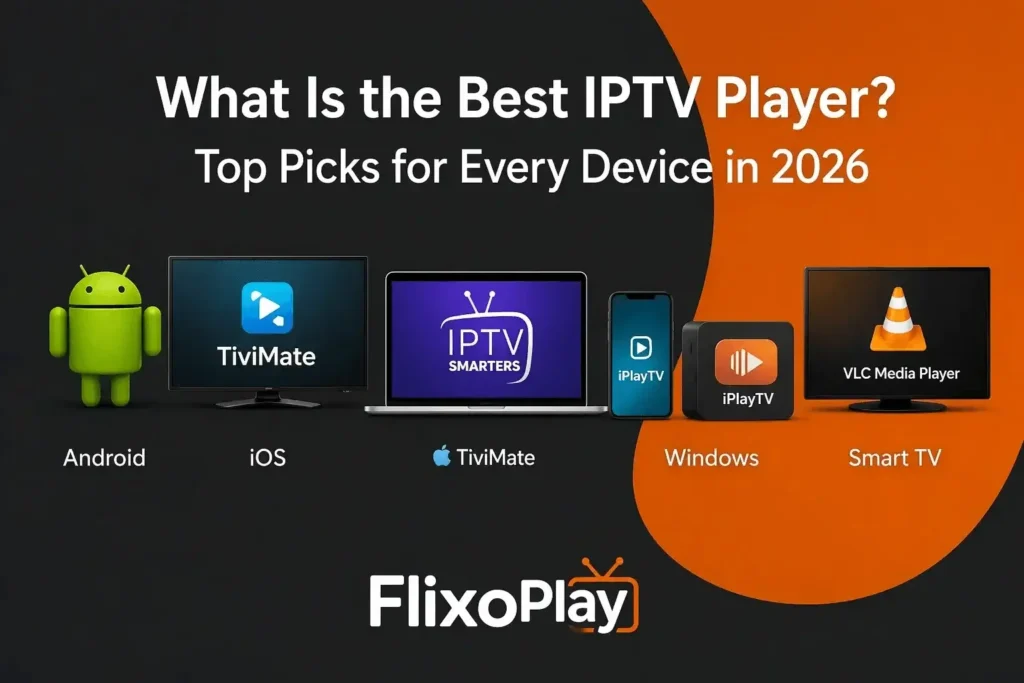
What Is the Best IPTV Player? Top Picks for Every Device in 2026 Choosing the right IPTV player is one of the most consequential decisions any streaming enthusiast can make. With dozens of applications competing for your attention across Android, iOS, Windows, and Smart TV platforms, the difference between a smooth, buffer-free viewing session and a frustrating one often comes down to which player you use. We have spent considerable time evaluating the leading options, and in this guide, we present a definitive, device-by-device breakdown of the best IPTV player solutions available today — including their features, strengths, and the devices they work best with. Whether you are accessing live TV, catching up on missed programming via catch-up TV, or navigating a rich VOD library, the right IPTV app does far more than simply play content. It organizes channel lists, renders EPG data accurately, handles M3U playlists and Xtream Codes API connections, and ensures smooth playback even during peak network hours. This guide covers everything you need to make a fully informed choice. What Is an IPTV Player and Why Does It Matter? An IPTV player is a dedicated application that acts as the interface between your IPTV subscription and your screen. Unlike traditional broadcast television, IPTV delivers content over internet protocol networks, meaning the player must decode and present live streams, VOD content, and EPG schedules in real time. The quality of this decoding — and the responsiveness of the interface — varies significantly from one application to the next. Understanding how IPTV works is the essential first step before selecting your player. Most IPTV players accept one of two primary connection methods: M3U playlist URLs or Xtream Codes API credentials. Some also support MAG box-style Stalker middleware portals, making them compatible with a broader range of service providers. The best players handle all three connection types seamlessly, offering stable playback regardless of the format your provider uses. Best IPTV Players for Android and Amazon Firestick Android-based devices — including smartphones, Android TV boxes, and Amazon Firestick — represent the largest IPTV user base globally. The following players are consistently rated the highest by experienced users on these platforms. 1. TiviMate IPTV Player TiviMate is widely regarded as the gold standard of IPTV players on Android TV and Firestick. Its interface is thoughtfully designed for television screens, with a clean EPG layout, smooth channel switching, and support for multiple M3U playlists simultaneously. The premium version, available at $10 per year or a one-time $30 lifetime fee, unlocks recording, multiview, parental controls, and advanced UI customization. For those ready to get started, a step-by-step walkthrough is available for installing TiviMate IPTV Player on Firestick and Android TV. Supports multiple simultaneous playlists Full DVR/recording functionality (Premium) Multiview for watching multiple channels at once Smooth EPG with catch-up TV integration Available via Google Play, sideload, or Downloader code 2. IPTV Smarters Pro IPTV Smarters Pro is one of the most versatile players in the IPTV ecosystem, available across Android, iOS, Windows, macOS, and Smart TV platforms. Its familiar home screen — divided into Live TV, Movies, and Series sections — makes navigation intuitive for newcomers and power users alike. It accepts M3U URLs, Xtream Codes API, and local file imports. If you are using a Firestick, our dedicated guide to installing IPTV Smarters on Firestick covers the entire setup process step by step. Cross-platform: Android, iOS, Windows, Smart TV, and web Supports M3U, Xtream Codes API, and local files Built-in VOD and series management EPG with detailed program information Parental controls and multi-screen viewing 3. Perfect Player IPTV Perfect Player is a lightweight, reliable IPTV application particularly well-suited to older Android devices or situations where system resources are limited. It supports XMLTV and M3U formats and allows users to assign external players like MX Player for specific playback tasks. Since it is no longer available through official app stores, sideloading is required. A complete guide to installing Perfect Player on Firestick and Android TV provides everything you need to get it running.       Minimal resource usage — ideal for older hardware       Supports XMLTV and M3U playlist formats       Configurable external player support (MX Player, VLC)       Xtream Codes integration available       Remote control optimized 4. Sparkle TV A newer entry that has earned strong reviews quickly, Sparkle TV combines a polished interface similar to TiviMate with thoughtful features such as Timeshift, DVR scheduling, and a u201cPlay Nextu201d shortcut for recently watched channels. The free tier is functional; upgrading to Sparkle Plus unlocks advanced settings and favorites management. Setup instructions are available for installing Sparkle TV on Firestick and Android TV. Best IPTV Players for iOS — iPhone and iPad iOS users face more limited options due to Apple App Store guidelines, but several strong players are available that deliver reliable IPTV experiences on iPhone and iPad. GSE Smart IPTV GSE Smart IPTV is consistently the top-rated IPTV player for Apple devices. It supports M3U and M3U8 playlist formats, features a built-in EPG with advanced search, enables background playback, and includes parental PIN protection. For detailed setup instructions, our guide to installing GSE Smart IPTV on Firestick and Android TV also applies broadly to the iOS setup workflow.       M3U and M3U8 playlist support       Built-in EPG with programme search       Chromecast and AirPlay compatible       Background playback support       PIN protection for channel access IPTV Smarters Pro — iOS Version The iOS version of IPTV Smarters Pro mirrors the Android counterpart in feature depth while adhering to Appleu2019s design standards. It supports Xtream Codes API, M3U playlists, catch-up TV, and VOD catalogs. Samsung Smart TV users can also refer to our guide for installing IPTV Smarters Pro on Samsung Smart TV, and iPhone and iPad users follow a similar credential-based setup. A dedicated walkthrough for setting up IPTV Smarters Pro on iOS is also available. Best IPTV Players for Windows

What Is the Difference Between IPTV and OTT
Blogs

¿Cuál es la diferencia entre IPTV y OTT? Guía completa 2026

What Is the Difference Between IPTV and OTT? A Complete 2026 Guide Two terms dominate every serious conversation about modern television: IPTV and OTT. Both deliver video over internet protocol. Both replace traditional cable and satellite broadcasting. Both are growing rapidly in 2026. Yet they are fundamentally different technologies — and understanding what is the difference between IPTV and OTT is essential before choosing a service, evaluating a provider, or making sense of why certain platforms behave differently from others. The confusion is understandable. Marketing language often uses the terms interchangeably, and from the viewer’s perspective — pressing play and watching a stream — the experience can appear identical. Beneath the surface, however, IPTV services and OTT platforms operate on entirely different network architectures, with different quality guarantees, device requirements, content delivery mechanisms, and use cases. This guide breaks down every dimension of that difference in plain, precise terms. In this comprehensive guide, we break down the IPTV VLAN meaning in plain language, explain how VLANs interact with IPTV traffic, walk through configuration principles, and clarify why this network technology matters in 2026’s increasingly congested digital environment. The Core Difference: Managed Network vs Open Internet One-line answer: IPTV delivers television content through a private, managed network controlled by a telecom or ISP. OTT delivers video content over the public internet, accessible from any device with a connection — no operator network required. That single distinction — managed network versus open internet — is the origin of every other difference between IPTV and OTT. Everything else: the quality guarantees, the latency, the device compatibility, the cost, and the content model, flows from it. What Is IPTV? IPTV stands for Internet Protocol Television. It is a method of delivering live television channels, video on demand, and time-shifted programming over a private IP network — typically the broadband infrastructure of a telecom operator or ISP. The key word is private. In a traditional IPTV deployment, the operator controls the entire delivery path from the video source (headend) to the viewer’s screen. Traffic is prioritised across the operator’s own infrastructure, meaning IPTV streams are not competing with general internet traffic for bandwidth. This is what enables the quality-of-service guarantees that define IPTV. How IPTV Delivers Content IPTV uses a technology called IP Multicast for live channel delivery. Instead of sending a separate stream to each individual viewer — which would rapidly consume enormous bandwidth — multicast sends a single stream across the network that all viewers watching the same channel receive simultaneously. This is highly efficient and is one of the reasons IPTV can support hundreds of simultaneous live channels without degrading performance. On-demand content within IPTV systems uses unicast, sending a dedicated stream to each individual viewer — the same method OTT platforms use for all content. What IPTV Requires       A subscription through a specific telecom operator or ISP that provides the managed network       A set-top box (STB) or an operator-approved application that connects to the managed network       An active broadband connection from the same operator — IPTV cannot typically be accessed on a different ISP’s network       An Electronic Program Guide (EPG) provided by the operator for live channel navigation For consumer IPTV subscriptions accessed through third-party providers — where you receive M3U playlist URLs or Xtream Codes API credentials and use an app like TiviMate or IPTV Smarters — the content is delivered over the public internet rather than a dedicated managed network, making it technically closer to OTT in its delivery mechanism, even though it is commonly referred to as IPTV. What Is OTT? OTT stands for Over-The-Top. The name refers to the fact that OTT services deliver video “over the top” of existing internet infrastructure — bypassing traditional cable, satellite, and telecom-managed networks entirely. OTT is what most people interact with daily when they use streaming services. Netflix, Amazon Prime Video, Disney+, YouTube, and Apple TV+ are all OTT platforms. The content travels from the provider’s servers, through a Content Delivery Network (CDN), and arrives at the viewer’s device over the standard public internet connection they already have. How OTT Delivers Content OTT platforms use adaptive bitrate streaming — the most common formats being HLS (HTTP Live Streaming) and MPEG-DASH — to deliver video. The player app on the viewer’s device continuously monitors available bandwidth and adjusts the stream quality in real time to prevent buffering. If your connection slows, the stream quality drops slightly but playback continues. When bandwidth recovers, quality rises again. This adaptive mechanism is the primary way OTT compensates for the lack of a managed network. Rather than guaranteeing quality at the network level, OTT guarantees continuity at the application level, adjusting to whatever connection conditions exist at any given moment. What OTT Requires Any internet connection — from any ISP, any location globally A compatible device: smartphone, tablet, smart TV, Firestick, Android TV box, laptop, or PC An account or subscription with the OTT service — no operator-managed hardware required Sufficient bandwidth: typically 10–15 Mbps for HD, 25+ Mbps for 4K IPTV vs OTT: Full Side-by-Side Comparison Dimension IPTV OTT Network type Private, managed (operator-controlled) Public internet (open access) Quality of service Guaranteed by operator infrastructure Best-effort, adaptive via CDN + ABR Live stream latency Under 1 second (IP Multicast) 2–30 seconds (HLS/DASH; 2–5s with LL-HLS) Device requirements Operator STB or approved app Any internet-connected device Multicast support Yes — one stream per channel No — one stream per viewer (unicast) Geographic reach Limited to operator’s network area Global — any internet connection Content delivery Operator-managed headend CDN (Akamai, Cloudflare, etc.) Bandwidth efficiency Excellent (multicast reduces load) Moderate (unicast scales per viewer) Content protection Network-level + DRM + CAS DRM only (Widevine, FairPlay) Infrastructure cost High (managed network + hardware) Lower (cloud-native + CDN) Setup complexity Higher — operator-dependent Lower — app install + account login Monetisation models Operator subscription bundles SVOD, AVOD, TVOD, FAST, hybrid Best suited for Telcos, hotels, hospitals,

Do You Need a VPN for IPTV
Blogs

Do You Need a VPN for IPTV? The Complete Honest Answer for 2026

Do You Need a VPN for IPTV? The Complete Honest Answer for 2026 It is one of the most searched questions in the IPTV world: do I need a VPN for IPTV? The short answer is: it depends. The longer answer — which actually matters for making the right decision — requires understanding what a VPN does to your IPTV traffic, when it genuinely helps, when it creates more problems than it solves, and what your specific setup actually needs. Unlike most guides on this topic, we are not going to tell you that a VPN is always essential or always unnecessary. Both of those positions are wrong. Whether you are just getting started with IPTV or you have been streaming for years and are experiencing buffering or connection issues you cannot explain, this guide covers every scenario in which a VPN is and is not the right tool for the job. What a VPN Actually Does to Your IPTV Connection A VPN — Virtual Private Network — creates an encrypted tunnel between your device and the internet. When you activate a VPN, your internet traffic is routed through a server operated by the VPN provider before reaching its destination. From the perspective of your ISP, your streaming traffic is indistinguishable encrypted data passing to and from a VPN server, rather than identifiable IPTV protocol traffic. From the perspective of the IPTV provider’s server, your connection appears to originate from the VPN server’s IP address and geographic location rather than your own. This has both practical benefits and practical trade-offs, which we cover in detail below. It is important to understand that a VPN does not improve your internet speed or the quality of your provider’s streams. It reroutes your traffic and encrypts it — which, depending on the VPN server’s load and your distance from it, can either make no perceptible difference to streaming quality or introduce noticeable latency. Choosing a high-quality VPN with servers optimised for streaming is therefore critical if you decide to use one. When You Genuinely Need a VPN for IPTV There are specific, clearly defined scenarios where using a VPN for IPTV provides real, measurable benefit. 1. Your ISP Is Throttling IPTV Traffic Internet service providers in many regions actively throttle — deliberately slow down — traffic associated with streaming protocols, particularly during peak hours. This throttling is applied selectively: standard web browsing and email traffic are unaffected, but IPTV streaming traffic is identified and deprioritised. The clearest sign of ISP throttling is streams that buffer or degrade in quality during evenings and weekends but stream perfectly on mobile data. A VPN encrypts your traffic so your ISP cannot identify it as IPTV traffic, effectively bypassing the throttle. If ISP throttling is confirmed as your issue, a VPN with a fast server in your country or a neighbouring country will typically restore normal streaming quality. 2. Geo-Restricted Content Is Blocking Access Some IPTV providers restrict certain channels or VOD content based on the geographic location of the viewer’s IP address. If your provider offers channels from a specific region that your IP address is not authorised to access, connecting through a VPN server in the required region grants access. This also applies to users who travel internationally and need to maintain access to their home country’s IPTV channels. A VPN server located in your home country presents your traffic as originating from that location, preserving access regardless of where you are physically streaming from. 3. Your Network Has Specific Port or Protocol Restrictions Some corporate networks, university networks, and hotel Wi-Fi systems restrict outbound traffic to certain ports and protocols. IPTV streaming frequently uses non-standard ports that these networks block. A VPN tunnels your IPTV traffic through standard encrypted ports (typically 443, the same port used for HTTPS web browsing) that these restricted networks almost never block. 4. Privacy Is a Primary Concern for You Without a VPN, your ISP can see which IPTV servers you are connecting to, how much data you are transferring, and how frequently you stream. In most jurisdictions this data is retained and may be shared with third parties under certain legal frameworks. If digital privacy is a priority for you, a VPN prevents this visibility entirely by encrypting all traffic before it leaves your device. When You Do Not Need a VPN for IPTV A VPN is not universally necessary, and using one incorrectly can actually degrade your IPTV experience rather than improving it. Here are the scenarios where a VPN is either unnecessary or counterproductive. Your IPTV Service Is Working Perfectly Without One If your streams load instantly, channels switch quickly, buffering is absent, and quality is consistent throughout the day — there is no functional reason to introduce a VPN. Adding one creates an additional routing step that can increase latency and, with a poor-quality VPN, actually introduce the buffering problems you are trying to avoid. Your VPN Server Is Geographically Distant A VPN server located far from both you and your IPTV provider’s infrastructure adds latency. For live TV streaming — particularly sports — added latency manifests as brief delays, degraded quality, or intermittent buffering. If you do use a VPN, connecting to a server in the same country or a neighbouring country minimises this effect. Your IPTV Provider Restricts VPN IP Addresses Some IPTV providers block connections originating from known VPN server IP ranges as an anti-abuse measure. If your provider has implemented this type of restriction, a VPN will prevent you from accessing the service entirely. Testing your provider’s compatibility with your chosen VPN before committing to a paid subscription is advisable. VPN for IPTV: At-a-Glance Decision Guide Your Situation VPN Recommended? Why ISP throttling confirmed Yes Bypasses traffic throttling Geo-restricted content needed Yes Changes apparent location Restricted network (hotel, campus) Yes Tunnels through blocked ports Privacy is a top priority Yes Encrypts all streaming traffic Streams working perfectly No Adds unnecessary latency Provider blocks VPN IPs No Will prevent service access

Why IPTV Is Not Working on Samsung TV
Blogs, Detalles de configuración

Why IPTV Is Not Working on Samsung TV: Every Cause and Fix (2026)

Why IPTV Is Not Working on Samsung TV: Every Cause and Fix (2026) If your IPTV is not working on your Samsung TV, you are dealing with one of the most common frustrations in the streaming world — and one that has a specific set of causes that are almost always fixable. The problem is not random. Samsung Smart TVs run on Tizen OS, a proprietary operating system that handles IPTV applications very differently from mainstream platforms like Netflix or YouTube. That fundamental difference is the root of most Samsung IPTV errors users encounter. This guide covers every reason why IPTV may stop working on a Samsung Smart TV — from Tizen OS compatibility failures and network configuration issues to app cache corruption, DNS blocks, and provider-side outages — along with step-by-step fixes for each. If you have already installed an IPTV player such as IPTV Smarters Pro on your Samsung Smart TV and it has stopped functioning correctly, this guide will identify exactly where the breakdown is occurring and walk you through restoring it. What Type of Problem Are You Experiencing? Before working through individual fixes, narrowing down the category of the problem saves significant time. Samsung IPTV failures almost always fall into one of five categories:   Symptom Most Likely Cause Where to Start App won’t open at all Tizen OS incompatibility or app corruption Section 1: Tizen OS Issues App opens, channels won’t load Network / DNS block or expired playlist Section 2: Network Issues Buffering or freezing constantly ISP throttling or insufficient bandwidth Section 2: Network Issues Some channels work, others don’t Provider server issue or codec mismatch Section 4: Provider Issues Black screen or audio-only Cache corruption or codec incompatibility Section 3: App & Cache Fixes Error after app update Version incompatibility with Tizen OS Section 1: Tizen OS Issues 1. Tizen OS Compatibility: Why Samsung TVs Struggle with IPTV Samsung’s Tizen OS is purpose-built for Samsung’s own ecosystem of certified apps. Unlike Android TV, which was designed with open third-party app support in mind, Tizen operates within a restrictive sandbox environment that limits what third-party IPTV applications can access and how they can function. The specific compatibility barriers that cause Samsung IPTV errors include:       Limited codec and API support — Tizen OS does not natively support all the streaming protocols and video codecs that IPTV services use, including certain H.265/HEVC streams and specific HLS implementations       App version mismatches — IPTV developers release updates targeting Android or iOS first; Samsung Tizen versions often lag behind, creating incompatibilities between the app’s current feature set and what Tizen can execute       Sandbox restrictions — Tizen prevents apps from accessing certain system resources that IPTV players need for features like background EPG loading and multi-stream management       Hardware variation — older Samsung TV models run on slower Tizen versions that cannot support newer IPTV app builds, even when the TV itself appears to function normally Fix: Update Tizen OS Firmware     On your Samsung TV remote, press the Home button.     Navigate to Settings → Support → Software Update.     Select Update Now and allow the process to complete — do not power off the TV during this step.     After the firmware update, restart the TV and relaunch the IPTV app. Keeping Tizen OS on the latest available firmware version ensures the best possible compatibility with IPTV player apps. Many Samsung IPTV errors are resolved by this single step alone. Fix: Switch to a Better-Supported IPTV App Not all IPTV apps are equally optimised for Tizen OS. If your current app is producing consistent errors, IPTV Smarters Pro for Samsung Smart TV is among the most stable options available for Samsung’s platform, with a dedicated Tizen-compatible build that avoids many of the codec and API conflicts that affect other apps. 2. Network Configuration and DNS Blocks Causing Samsung IPTV Errors Network issues are the second most common reason IPTV stops working on Samsung Smart TVs — and the most frequently overlooked, because the TV’s internet connection appears normal during standard tests. Samsung TVs will load YouTube or Netflix without any issues while IPTV streams fail completely, because IPTV traffic uses different protocols and ports that are specifically targeted by certain ISP restrictions and router configurations. ISP Throttling and Port Blocking Many internet service providers actively throttle or block traffic associated with IPTV streaming protocols, particularly in regions where live sports streaming over IPTV is a regulatory concern. This throttling is applied at the ISP level and is invisible to standard speed tests — your measured internet speed appears normal, but IPTV traffic is being slowed or blocked selectively. To confirm whether ISP throttling is the cause: test your IPTV service on a mobile phone using mobile data rather than your home Wi-Fi. If the streams load on mobile data but not on your home network, ISP throttling or router-level blocking is the cause. DNS Configuration Issues Samsung TVs sometimes use ISP-assigned DNS servers that actively block IPTV server addresses. Switching to a neutral DNS resolves this without requiring any changes to the TV itself — the fix is applied at the router level.     Log in to your router’s admin panel (typically accessed at 192.168.1.1 or 192.168.0.1 in a browser).     Locate the DNS settings — usually under WAN or Internet Configuration.     Replace the existing DNS entries with Google’s public DNS: Primary 8.8.8.8 / Secondary 8.8.4.4, or Cloudflare’s DNS: Primary 1.1.1.1 / Secondary 1.0.0.1.     Save the settings and restart both the router and the Samsung TV.     Relaunch the IPTV app and test channel loading. Router UPnP and Port Forwarding IPTV streaming requires open communication between your TV and the IPTV provider’s servers across specific ports. If your router’s firewall is blocking these ports, or if UPnP (Universal Plug and Play) is disabled, the connection will fail silently while other internet traffic continues normally.  

Scroll al inicio