
IPTV Apps & Platforms: The Complete Guide to IPTV for Android TV
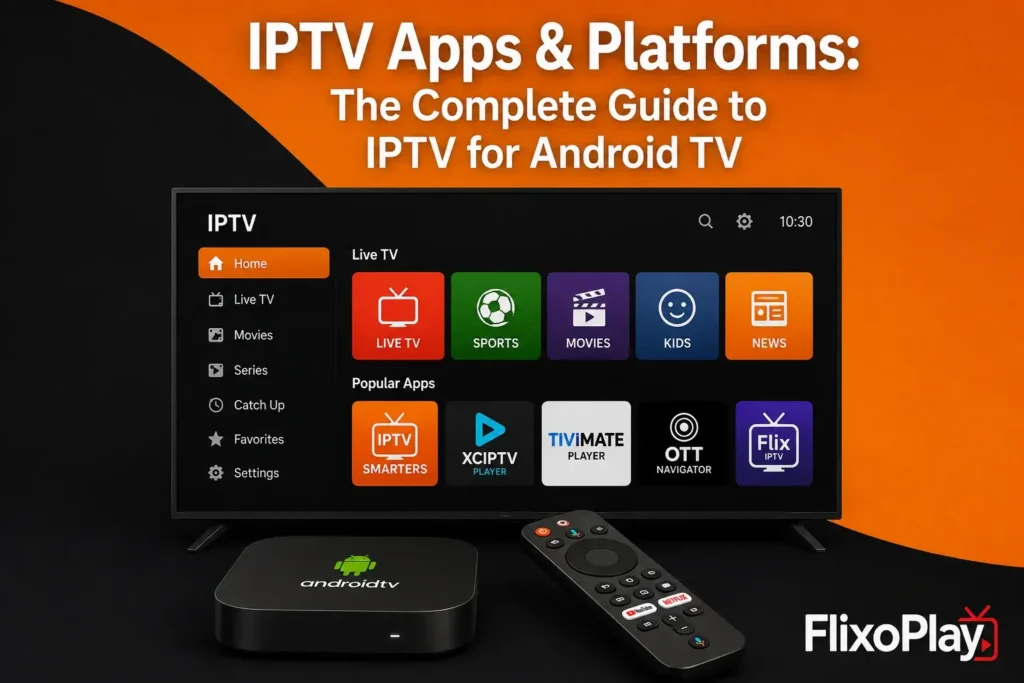
We have tested, compared, and evaluated dozens of IPTV apps and platforms to bring you a comprehensive, practical guide to streaming on Android TV. Whether you are setting up a new Android TV box, a smart TV running Android TV OS, or an NVIDIA Shield, this guide walks through the IPTV apps and platforms that consistently deliver the smoothest playback, the most reliable electronic program guides (EPG), and the best overall user experience.
IPTV — Internet Protocol Television — delivers television content over an internet connection rather than through traditional satellite or cable infrastructure. Android TV has become one of the most popular platforms for IPTV because it combines an open app ecosystem, wide hardware support (from budget streaming sticks to premium smart TVs), and native support for the file formats and playlist standards that most IPTV apps and platforms rely on.
Why Android TV Is a Top Choice for IPTV Apps & Platforms
Android TV benefits from a mature app store, consistent hardware acceleration for video decoding, and broad developer support. Unlike some closed streaming ecosystems, Android TV allows users to install a wide range of IPTV apps directly from the Google Play Store or via sideloading, giving households more control over their viewing setup.
- Wide device compatibility: Chromecast with Google TV, NVIDIA Shield, Mi Box, Sony and TCL smart TVs, and generic Android TV boxes.
- Hardware-accelerated video decoding for smoother 1080p and 4K playback.
- Support for standard playlist and program-guide formats used across the IPTV apps and platforms ecosystem.
- A large, actively maintained selection of dedicated IPTV player apps.
Best IPTV Apps & Platforms for Android TV
The right IPTV app depends on how you plan to use it — whether you want a simple, no-frills player, an app with an advanced EPG and multi-profile support, or a platform that blends personal media libraries with live-TV style browsing. Below is a comparison of the most widely used IPTV apps and platforms currently available for Android TV.
App / Platform | Bedst til | Android TV Support | Notable Feature |
VLC for Android TV | Playing M3U playlists & local files | Native app | Free, open-source, no account needed |
TiviMate | Power users wanting an EPG-first layout | Native app (sideload or Play Store) | Multi-profile support, custom EPG |
IPTV Smarters Pro | Beginners wanting a simple setup wizard | Native app | Supports Xtream Codes & M3U formats |
Plex | Combining personal media with live channels | Native app | Free live-TV channel guide add-on |
GSE Smart IPTV | Users who want detailed playback controls | Native app | EPG import, favorites, parental controls |
Each of these apps supports the two most common IPTV input formats — M3U playlists and Xtream Codes API connections — which means they can be used with any properly licensed IPTV service that provides these credentials, including legal streaming platforms such as FlixoPlay.
TiviMate: Best for Power Users
TiviMate has become one of the most recommended IPTV apps for Android TV thanks to its clean, TV-optimized interface and its detailed EPG grid. It supports multiple playlists, parental controls, and custom channel groupings, making it a favorite among users who manage several IPTV subscriptions or large channel lists.
IPTV Smarters Pro: Best for Beginners
IPTV Smarters Pro is designed with simplicity in mind. Its setup wizard walks new users through entering an M3U URL or Xtream Codes login, and it automatically organizes live channels, video-on-demand libraries, and series into separate, easy-to-browse sections.
VLC and GSE Smart IPTV: Best Free Options
For users who want a completely free solution without account creation, VLC for Android TV and GSE Smart IPTV both offer dependable, no-cost playback for M3U playlists. They lack some of the polish of premium apps but remain reliable choices for basic IPTV app and platform needs.
How to Set Up an IPTV App on Android TV
Setting up any IPTV app on Android TV generally follows the same core steps, regardless of which app or platform you choose.
Step-by-Step Setup Process
- Install your chosen IPTV app from the Google Play Store, or sideload the APK using a tool such as Downloader if it is not listed in your region.
- Open the app and select your input method — typically an M3U playlist URL or Xtream Codes login (username, password, and server URL).
- Enter the credentials provided by your legal IPTV subscription service.
- Allow the app to load and cache the channel list and EPG data — this can take a few minutes on larger channel lists.
- Adjust playback settings, such as buffer size and preferred video player, for the best performance on your specific device.
Key Features to Look for in IPTV Apps & Platforms
Not all IPTV apps and platforms are built the same. When comparing options for Android TV, we recommend weighing the following factors alongside your household’s viewing habits.
- EPG (Electronic Program Guide) quality — how accurate and easy to navigate the program listings are.
- Multi-profile and parental control support for households with several viewers.
- Catch-up TV and video-on-demand integration alongside live channels.
- Adaptive buffering controls to reduce stuttering on slower connections.
- Regular app updates and active developer support.
Optimizing IPTV Performance on Android TV
Even the best IPTV app can struggle with poor network conditions. A wired Ethernet connection, or a strong 5GHz Wi-Fi signal, is one of the single biggest factors in achieving smooth playback. We also recommend allocating a slightly larger buffer within the app’s settings, since Android TV devices vary in available RAM and background processing load.
For households running multiple streams simultaneously, a router capable of Quality of Service (QoS) prioritization can meaningfully reduce buffering during peak usage hours.
Legal Considerations When Choosing IPTV Apps & Platforms
The IPTV apps and platforms covered in this guide are simply media players — they are legal to install and use in virtually every region. What matters from a legal standpoint is the source of the content itself. Always connect these apps to a licensed, legitimate IPTV service that holds proper distribution rights for the channels it offers. Services like FlixoPlay operate as legal streaming subscriptions and are compatible with the apps and setup steps described above.
Ofte stillede spørgsmål (FAQ):
TiviMate is widely regarded as one of the best IPTV apps for Android TV due to its polished interface and advanced EPG, while IPTV Smarters Pro is a strong choice for beginners thanks to its simple setup wizard.
No — if your television runs Android TV OS natively, you can install IPTV apps directly. Otherwise, an affordable streaming device such as a Chromecast with Google TV or an Android TV box will add full support.
Yes. Most major IPTV apps and platforms, including IPTV Smarters Pro and GSE Smart IPTV, offer companion apps for Android phones, tablets, and Android TV, often sharing the same login credentials.
For standard-definition and HD channels, 10-15 Mbps is typically sufficient, while 4K streams generally require at least 25 Mbps of stable bandwidth.
VLC and similar free apps handle basic playback well, but they generally lack the advanced EPG, multi-profile, and parental control features found in dedicated IPTV apps and platforms like TiviMate.
M3U is a simple playlist file format listing channel streams, while Xtream Codes is an API-based login system that also delivers program guide data, video-on-demand libraries, and account management features.
No. IPTV apps and platforms stream content live over the internet, so a stable connection is required at all times during playback.
Konklusion
Choosing the right IPTV app or platform for Android TV comes down to matching your household’s needs — whether that is a simple free player or a feature-rich app with advanced EPG and multi-profile support. Pair any of the apps covered in this guide with a properly licensed streaming service such as FlixoPlay for a smooth, reliable, and fully legal Android TV viewing experience.